
Usage and conversation stats
This page covers the 「用量」 (Usage) and 「会话统计」 (Conversation stats) pages in the console's 「观测」 (Observability) group: the first summarizes token usage, the second gives an overall picture of conversations, messages, and runs.
Both pages have a team filter in the toolbar, defaulting to 「全部团队」 (All teams). Team admins have the same 「用量」 and 「会话统计」 tabs in 「团队设置」 (Team settings), limited to their own team.
Usage
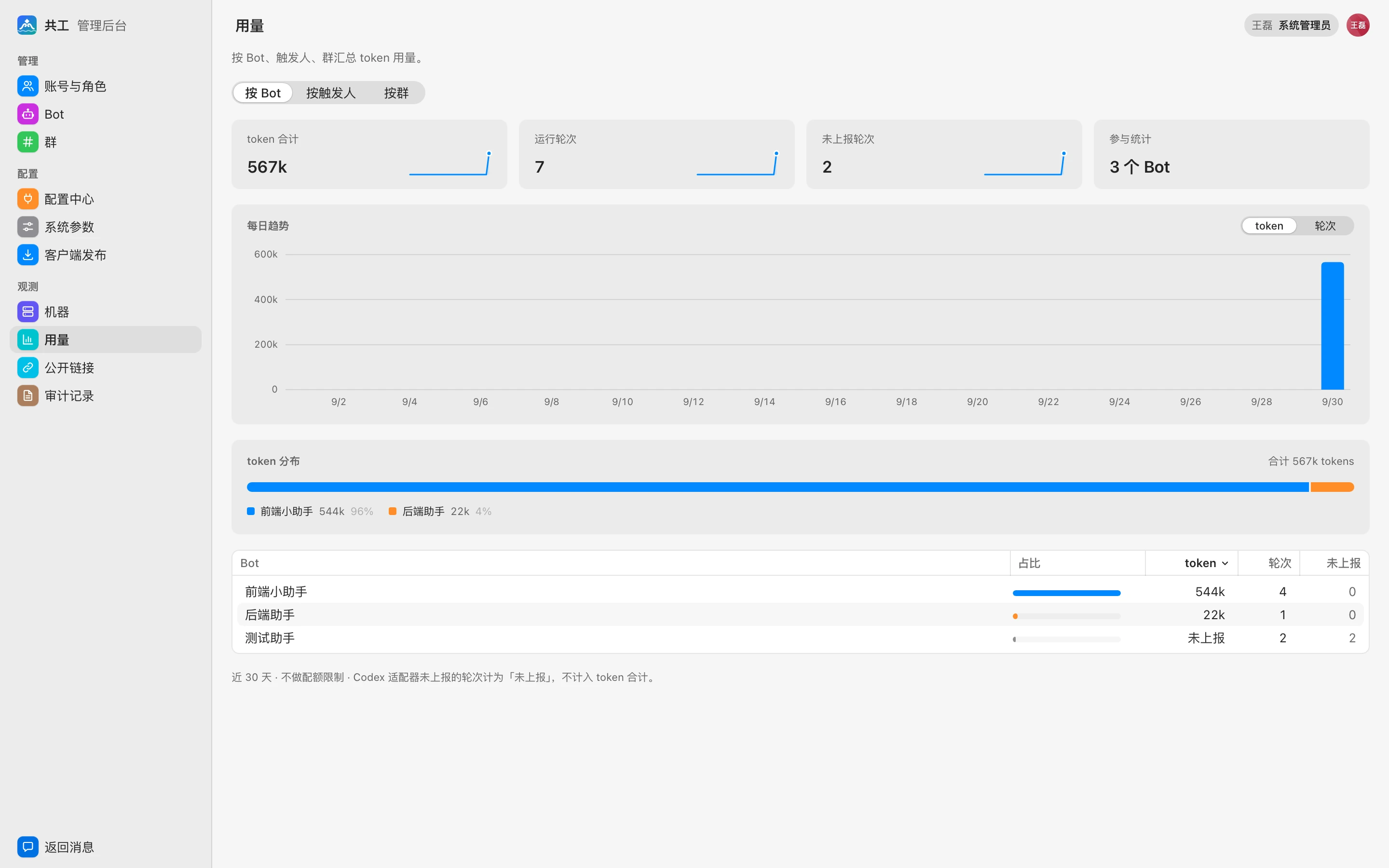
The 「用量」 page summarizes token usage over the last 30 days by Bot, requester, or group.
Views
Three tabs at the top switch the dimension:
- 按 Bot (By Bot): how much each Bot consumed.
- 按触发人 (By trigger user): how much the runs triggered by each person who @-mentioned a Bot consumed.
- 按群 (By group): how much each group consumed.
Below the tabs, in order:
- Summary figures: total tokens, runs, unreported runs, and the number of Bots / requesters / groups counted, compared with the previous 30 days (「较前 30 天」 ("vs. previous 30 days") or 「持平」 (Flat)).
- 每日趋势 (Daily trend): switch between tokens and runs; the peak is marked.
- token 分布 (Token share): each item's share.
- 用量明细 (Usage details):
| Column | Description |
|---|---|
| Bot / 触发人 (Trigger user) / 群 (Group) | Changes with the selected dimension |
| 占比 (Share) | Bar showing the row's tokens relative to the highest row |
| token | Total tokens; shows 「未上报」 (Unreported) if nothing was reported at all |
| 轮次 (Runs) | Number of runs |
| 未上报 (Unreported) | Number of runs for which the adapter didn't report usage |
The window is fixed at the last 30 days; dates in the trend chart follow the browser's time zone.
Notes
- Usage is for statistics only; there are no quotas, and going over isn't blocked.
- Usage comes from what the Agent adapters report. Runs where the adapter didn't report usage (such as some Codex runs) count as 「未上报」 (Unreported) and aren't included in the token total, so token counts for those Bots may be low.
- Context usage isn't counted as usage.
- Members see the same statistics under 「我的用量」 (My usage) in the avatar menu, but only for their own Bots.
Conversation stats
The 「会话统计」 (Conversation stats) page is an overview of conversations, messages, and runs across the site. It counts only quantities and contains no message content. Pick a time range at the top: last 7 / 30 / 90 days.
From top to bottom:
- Overview figures: total conversations (how many groups and direct chats), active conversations, new conversations, member messages, Bot replies, active members, runs, success rate, and average duration, each compared with the previous period of the same length.
- 每日趋势 (Daily trend): switch between member messages, Bot replies, runs, active members, and active conversations.
- 运行状态分布 (Run status): number of runs in each status.
- 运营 (Operations): retention (how many members active in the previous period came back), new member activation (how many newly joined members have started a run, and the median time to do so), failure rate (excluding manual stops), user share, and a ranking of failure reasons.
- 会话明细 (Conversation details): view 「按会话」 (By conversation), 「按成员」 (By member), 「按 Bot」 (By Bot), or 「按团队」 (By team), listing message count, conversations taken part in, active members, runs, success rate, last active, and so on.
Definitions: messages are what members and Bots said, excluding system events; runs are counted by when they were requested; success rate = completed / ended; 「搭建者」 (builders) means sysadmins, team admins, owners of a machine or Bot, and group admins, and everyone else is a 「使用者」 (user).